Niantic Spatial Sites
What is Sites?
The Sites feature provides access to organized entity data in the Niantic Spatial platform, enabling your application to discover and navigate the relationships between a user, organization, site, and spatial data asset. This feature allows you to query what spatial content is available to users and how it's structured within your organization.
What can Sites be used for?
Sites is essential for applications that need to discover available spatial content, navigate hierarchy structures, access spatial data metadata, and build location-aware experiences that adapt based on the site and its associated assets.
Here is an example where we use the Sites API to display entity metadata that a test user has access to on the Niantic Spatial platform.
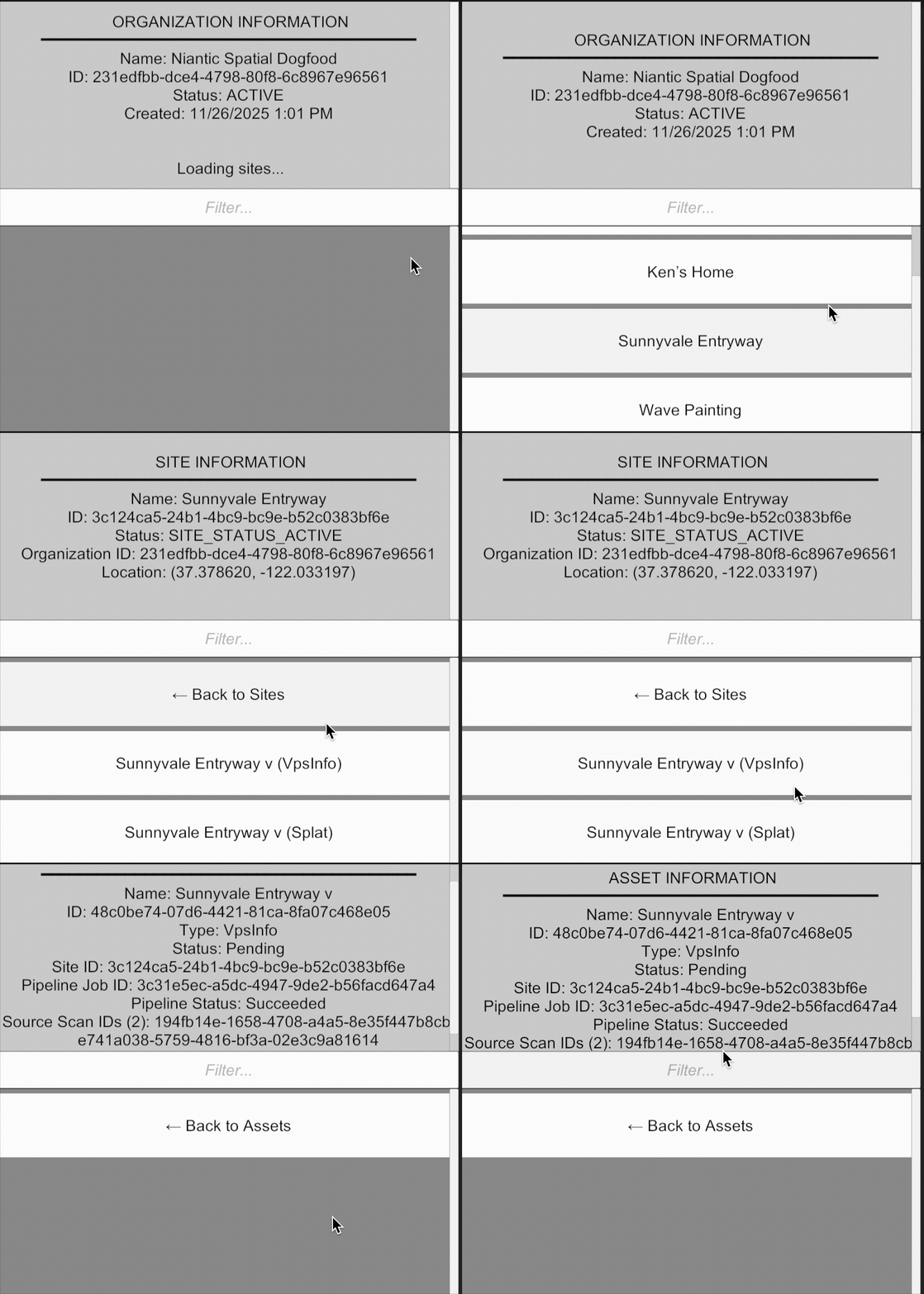
All data returned by the Sites API is scoped to the authenticated user. Users can only access organizations, sites, and assets that they have permission to view based on their authentication credentials.
How is Sites data organized?
The Sites feature organizes spatial data in a hierarchical structure:
User → Organization → Site → Asset
A User represents an authenticated individual who has access to the Niantic Spatial platform. Each user belongs to one or more organizations and can query information about themselves, including their associated organizations, sites, and assets.
An Organization is a top-level container that groups related sites and assets together. Organizations typically represent companies, teams, or projects that manage multiple spatial locations. Users can belong to multiple organizations, and each organization can contain multiple sites.
A Site represents a specific physical location or area where spatial data has been collected or is being managed. Sites belong to an organization and can contain multiple assets. A site may have geographic coordinates and can represent anything from a building to an outdoor area to a specific region of interest.
An Asset is a spatial data resource associated with a site. Assets can include various types of spatial content such as meshes, Gaussian splats, VPS anchors, or other processed spatial data. Each asset belongs to a specific site and represents the actual spatial content that applications can use for AR experiences.
The hierarchy flows downward: Users access Organizations, Organizations contain Sites, and Sites contain Assets. This structure allows you to:
- Discover what spatial content is available to a user
- Navigate from high-level organizational context down to specific spatial assets
- Understand the relationships and permissions that govern access to spatial data
- Build location-aware applications that adapt based on the site and its available assets
Next Steps
- Get started with Getting Started with Sites